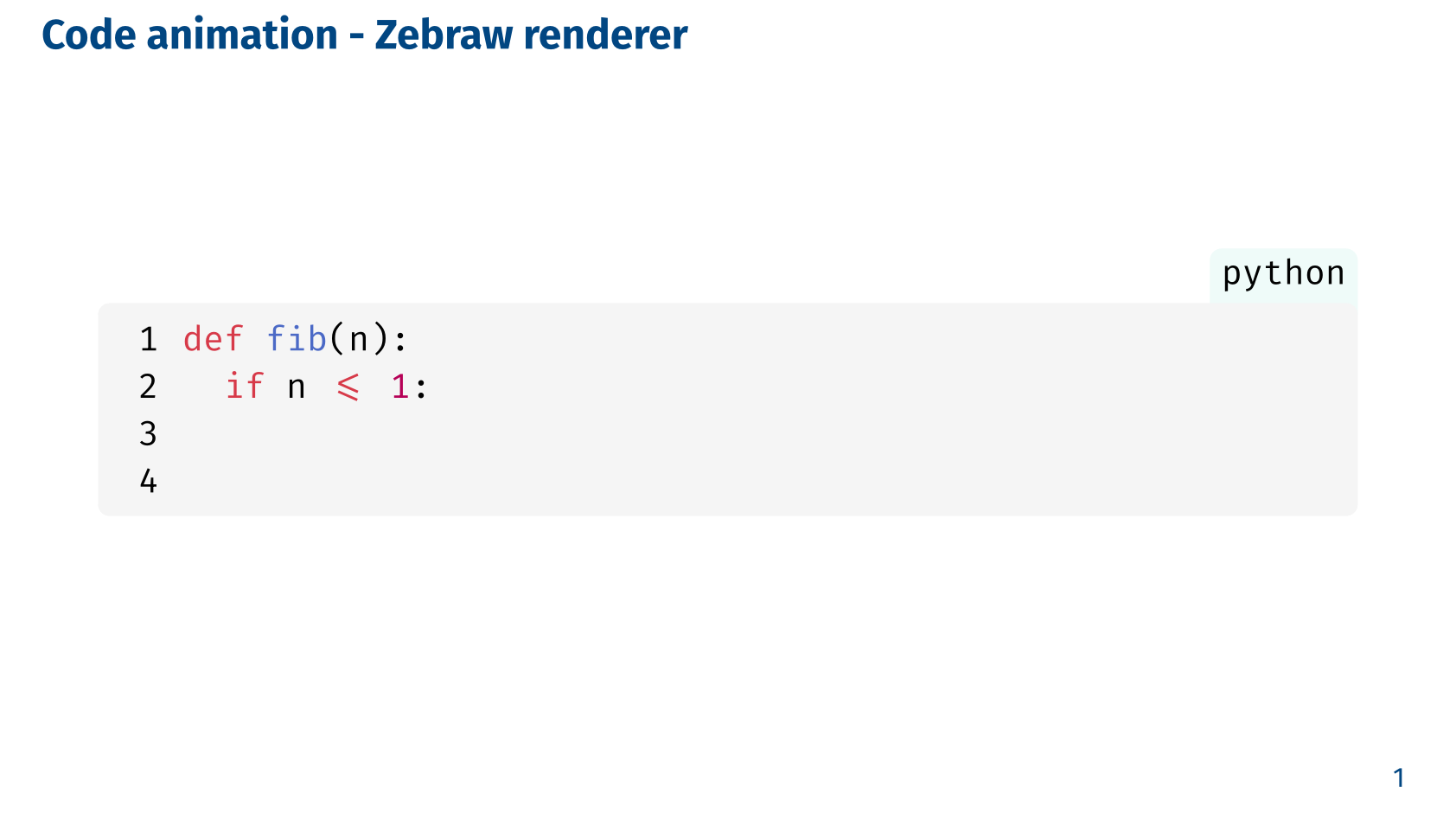
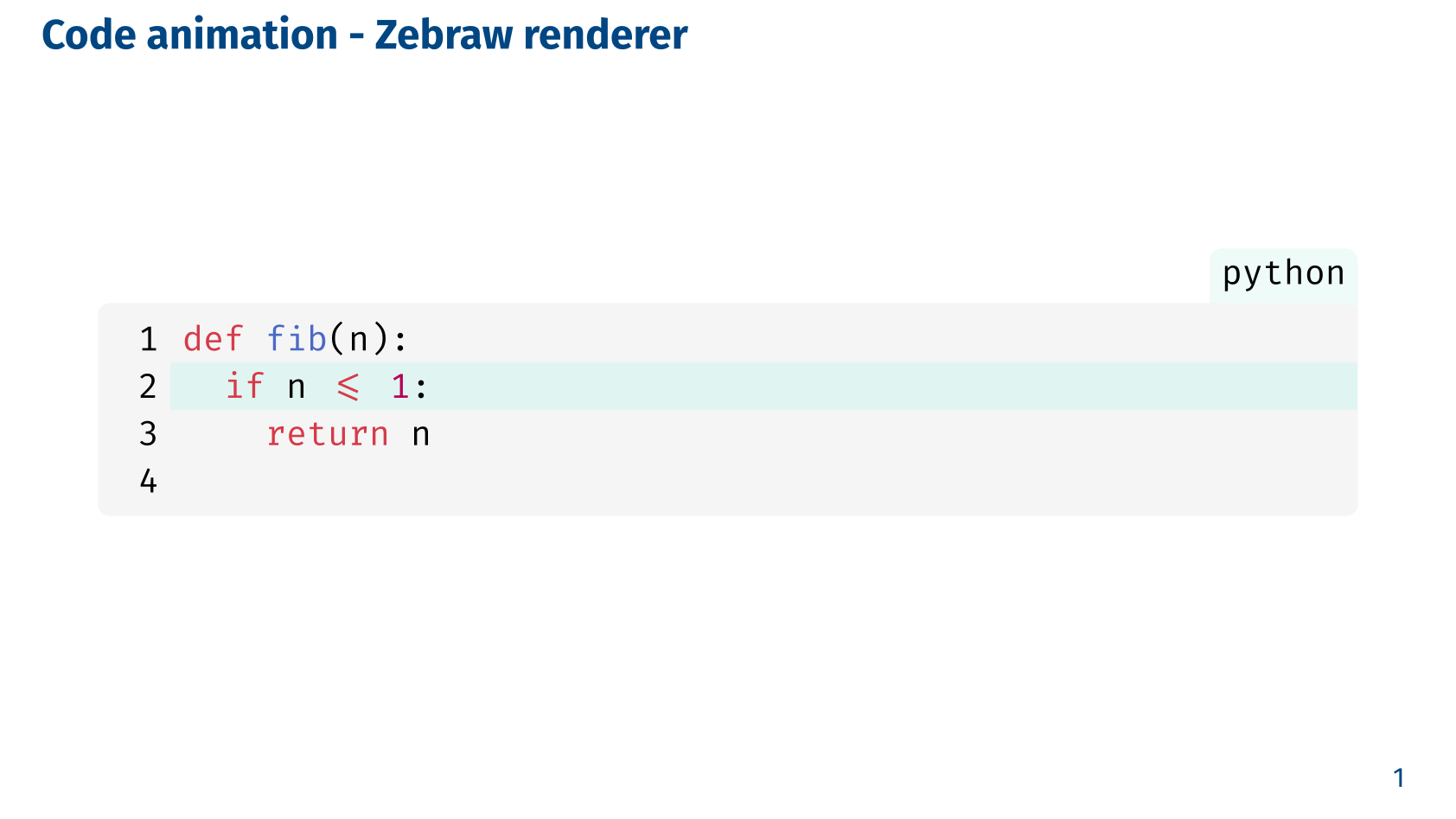
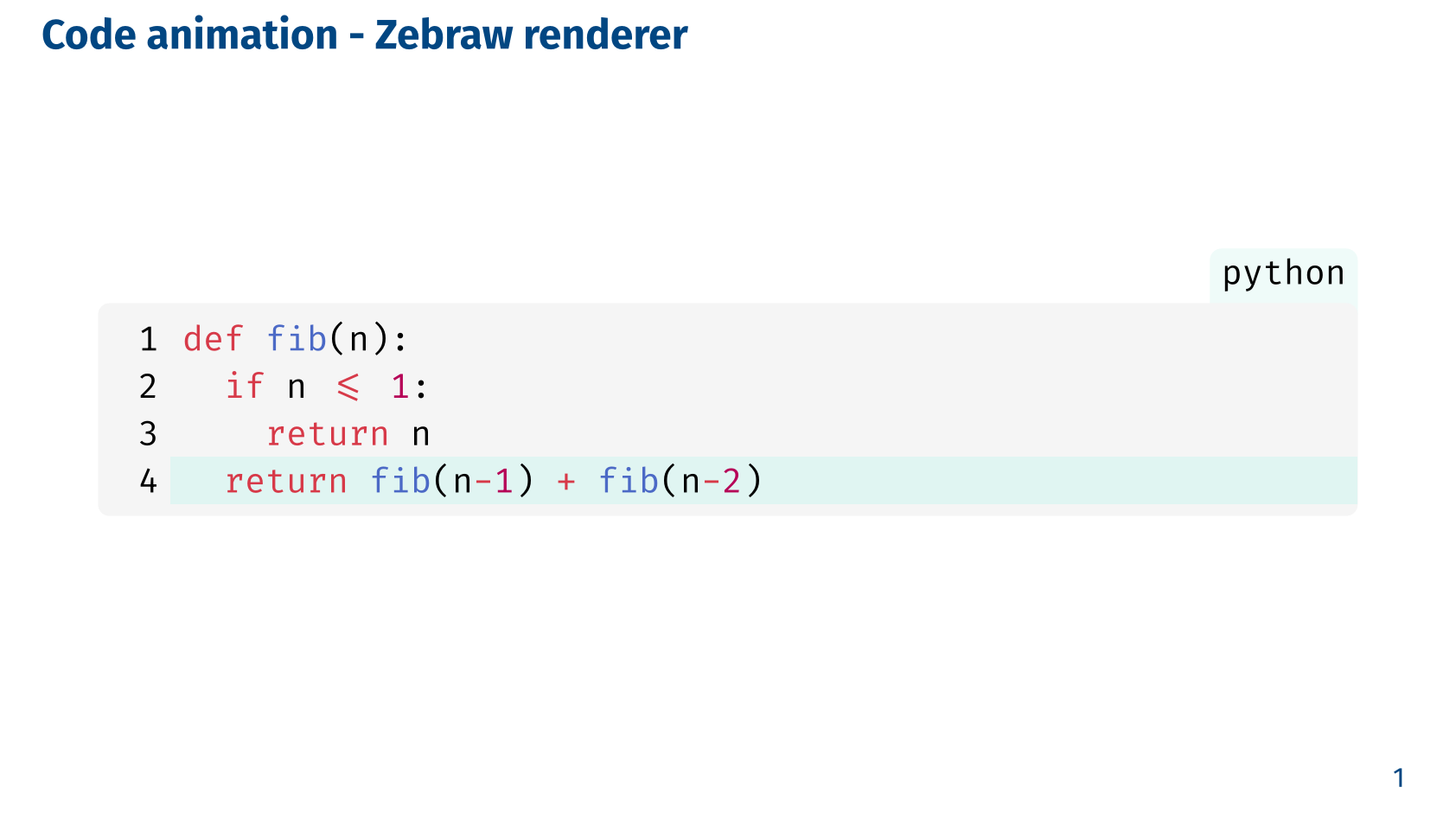
Code animation
The code animation feature allows you to highlight specific lines of code in a step-by-step manner during a presentation. This can be particularly useful for explaining complex code snippets or algorithms, as it enables the presenter to focus the audience’s attention on one part of the code at a time.
Basics
Slydekit provides the code-reveal function that can be used to create this effect.
#let code-reveal(
  highlight-lines: (:),
  hide-lines: (:),
  renderer: raw-renderer(),
  body,
)highlight-lines – default: (:)Lines to highlight during the code reveal animation.
The dictionary keys are strings representing the line numbers of the code snippet, and the values are either integers or arrays of integers indicating the subslide numbers on which the corresponding lines should be highlighted. For example, ("2": 1, "4": 2) means that line 2 will be highlighted on subslide 1, and line 4 will be highlighted on subslide 2.
hide-lines – default: (:)Lines to hide during the code reveal animation.
The dictionary keys are strings representing the line numbers of the code snippet, and the values are either integers or arrays of integers indicating the subslide numbers from which the corresponding lines should be visible. For example, ("3": 2, "4": 3) means that line 3 will be visible from subslide 2, and line 4 will be visible from subslide 3.
renderer – default: raw-renderer()The function used to render the code snippet. This can be a custom renderer or one of the provided renderers, namely raw-renderer, codly-renderer, or zebraw-renderer.
..argsAdditional arguments to be passed to the renderer function. These arguments can be used to customize the appearance of the code snippet and are specific to the chosen renderer.
bodyThe code snippet to be animated. This should be a block of code written in the desired programming language, enclosed within triple backticks (```) and optionally specifying the language for syntax highlighting.
Renderers
Slydekit provides three built-in renderers for the code-reveal function: raw-renderer, codly-renderer, and zebraw-renderer. Each renderer has its own set of customization options and can be used to achieve different visual effects for the code animation.
Native Typst raw renderer
#let raw-renderer(
  highlight-color: luma(90%),
  ..args
)highlight-color – default: luma(90%)The color used to highlight the active lines of code. This can be any valid color value in Typst, such as a named color, a hex code, or an RGB value.
..argsAdditional arguments to be passed to the raw function. See the Typst documentation for the raw function for the complete list of available arguments.
#import "@preview/slydekit:0.5.0": *

#show: slydekit

#let code = ```python
def fib(n):
  if n <= 1:
      return n
  return fib(n-1) + fib(n-2)
```

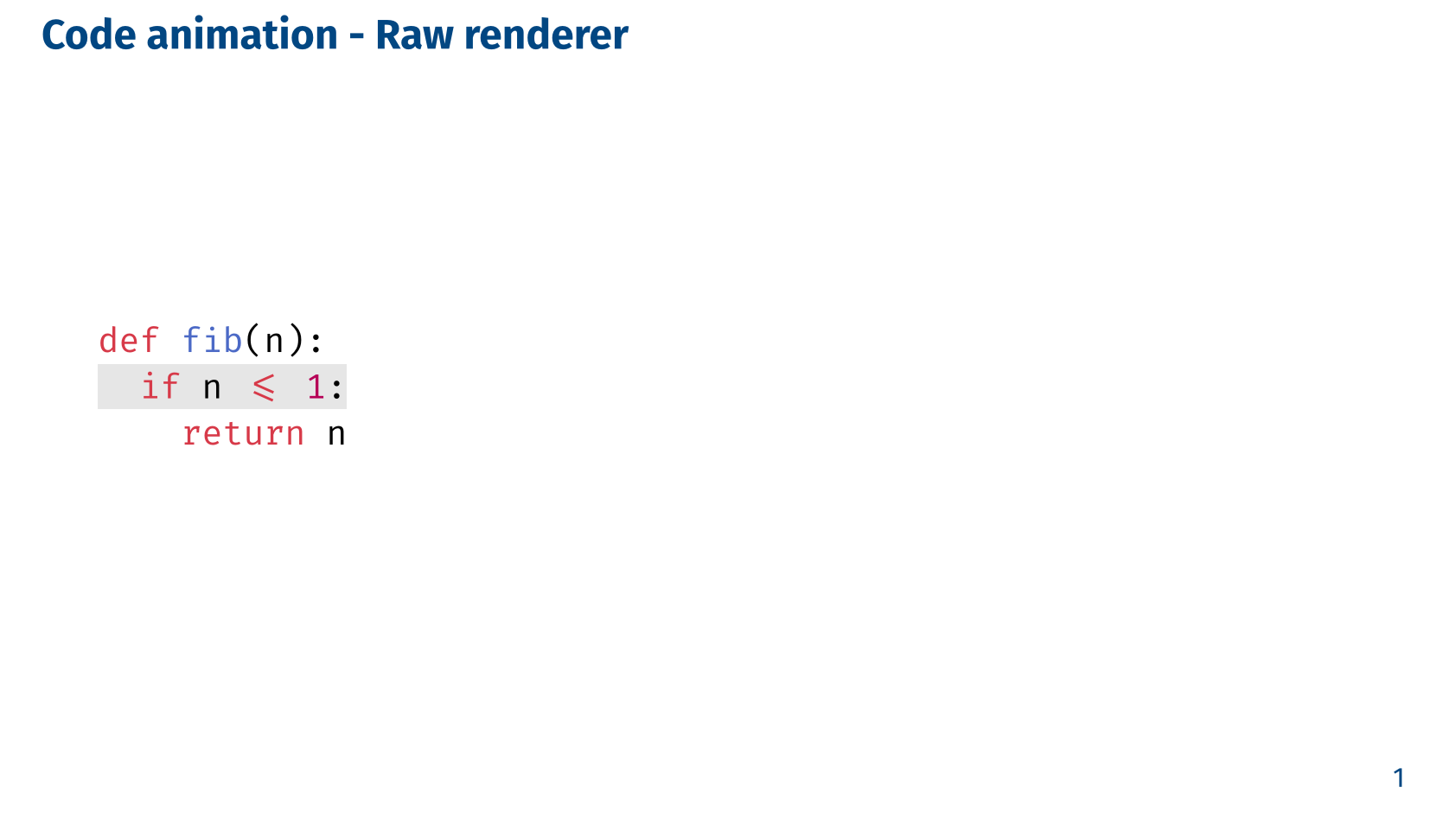
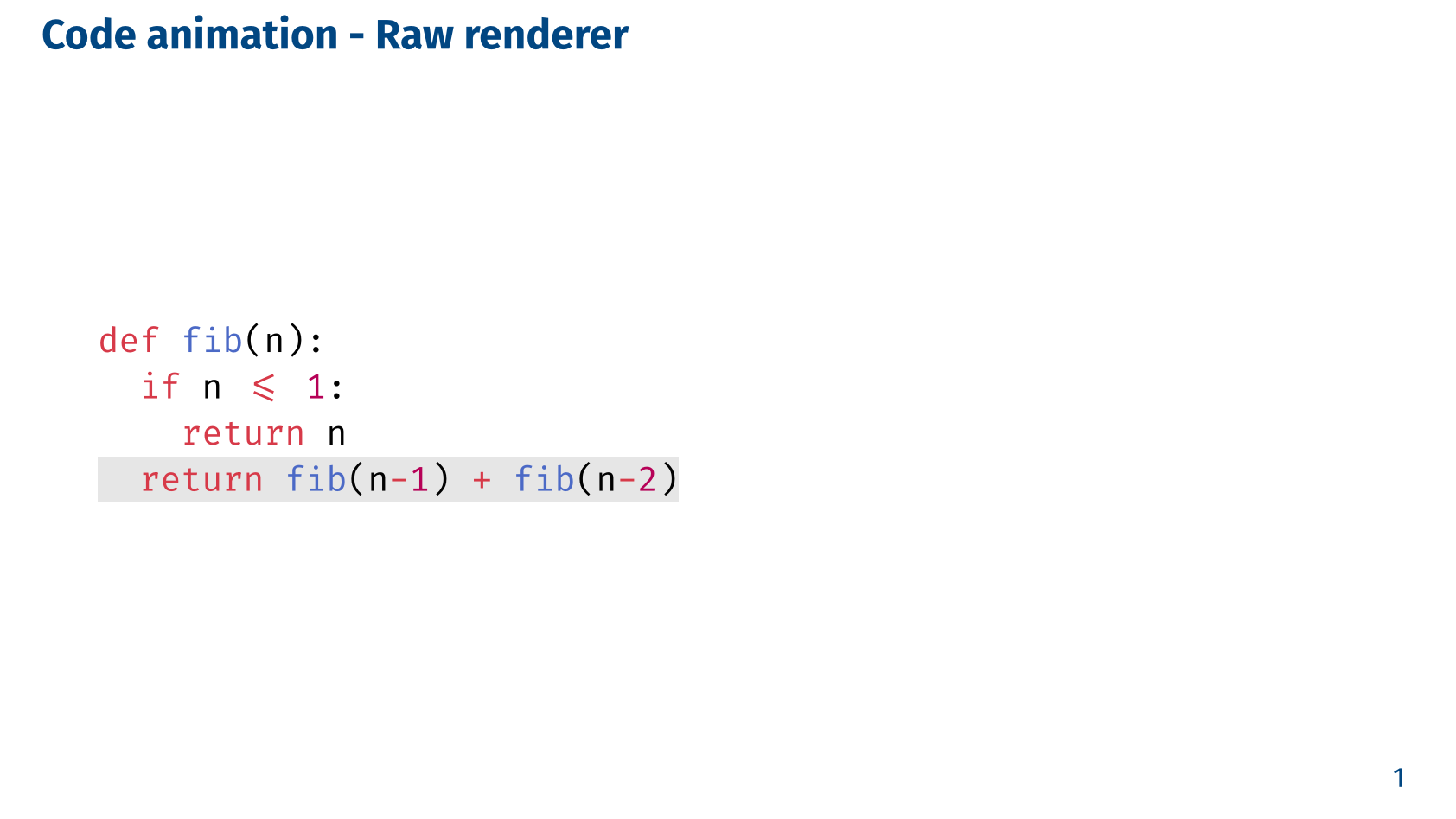
== Code animation - Raw renderer

#code-reveal(
  highlight-lines: ("2": 2, "4": 3),
  hide-lines: ("3": 2, "4": 3)
)[#code]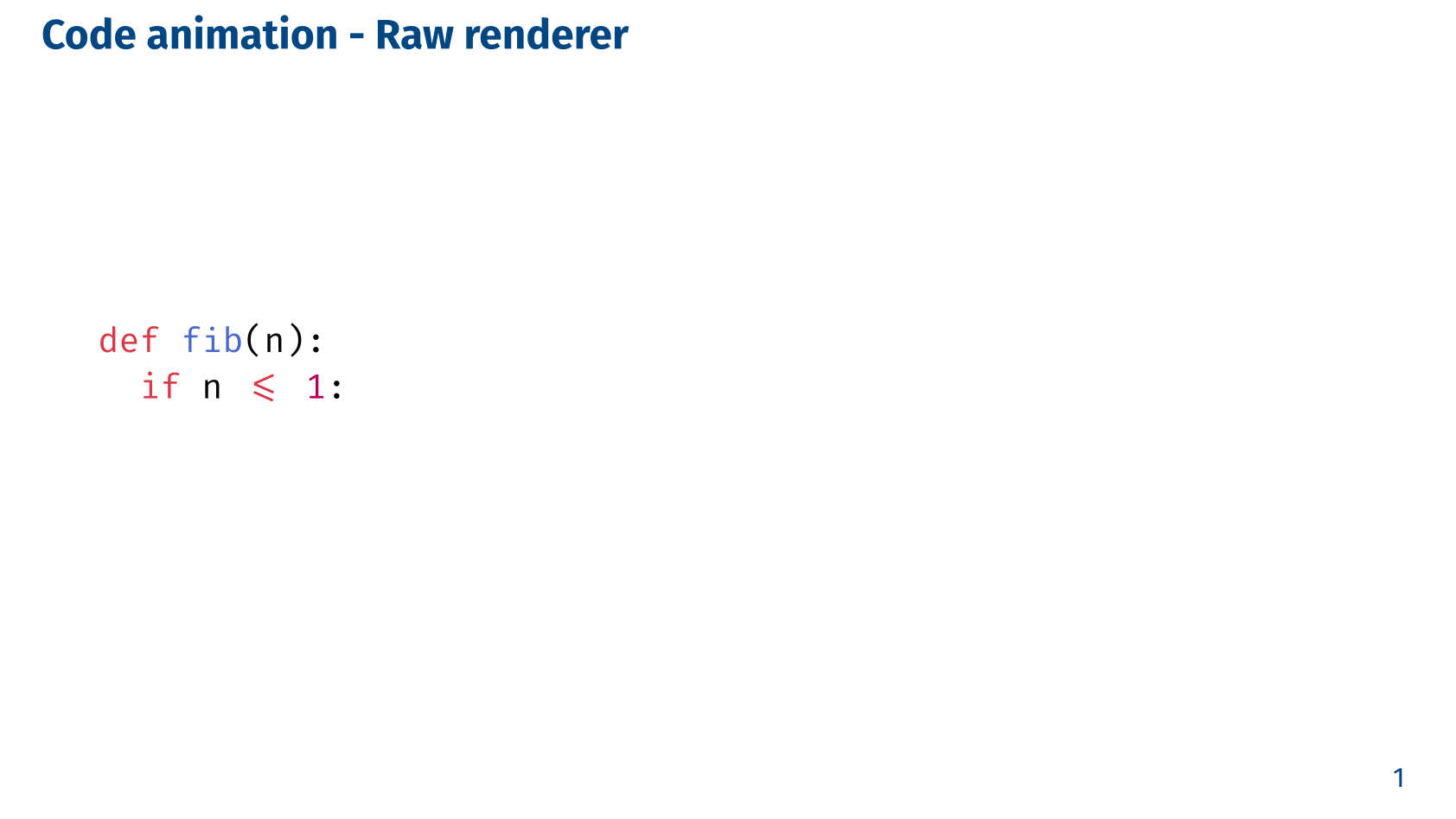
Codly renderer
#let codly-renderer(
  codly-fn,
  highlight-color: luma(90%),
  ..args
)codly-fnThe Codly function used to render the code snippet. This must be the codly function.
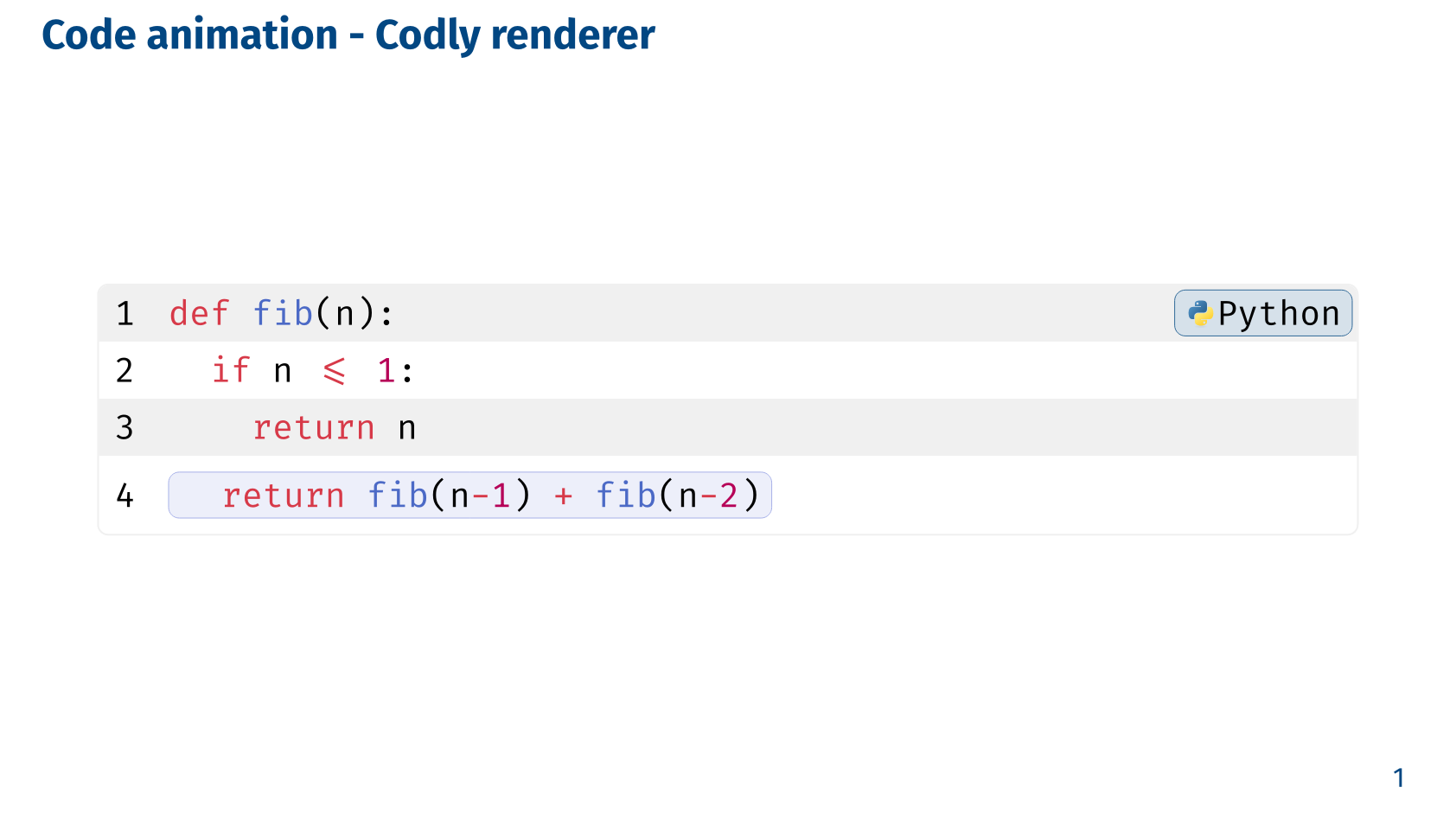
codly function is used as an argument avoids having codly as a direct dependency of Slydekit, which would require the user to install the codly package. Instead, the user can choose to use codly or not, depending on their needs.highlight-color – default: luma(90%)The color used to highlight the active lines of code. This can be any valid color value in Typst, such as a named color, a hex code, or an RGB value.
..argsAdditional arguments to be passed to the codly function. See the Codly documentation for the complete list of available arguments.
#import "@preview/slydekit:0.5.0": *
#import "@preview/codly:1.3.0": *
#import "@preview/codly-languages:0.1.10": *

#show: codly-init
#codly(languages: codly-languages)

#show: slydekit

#let code = ```python
def fib(n):
  if n <= 1:
      return n
  return fib(n-1) + fib(n-2)
```

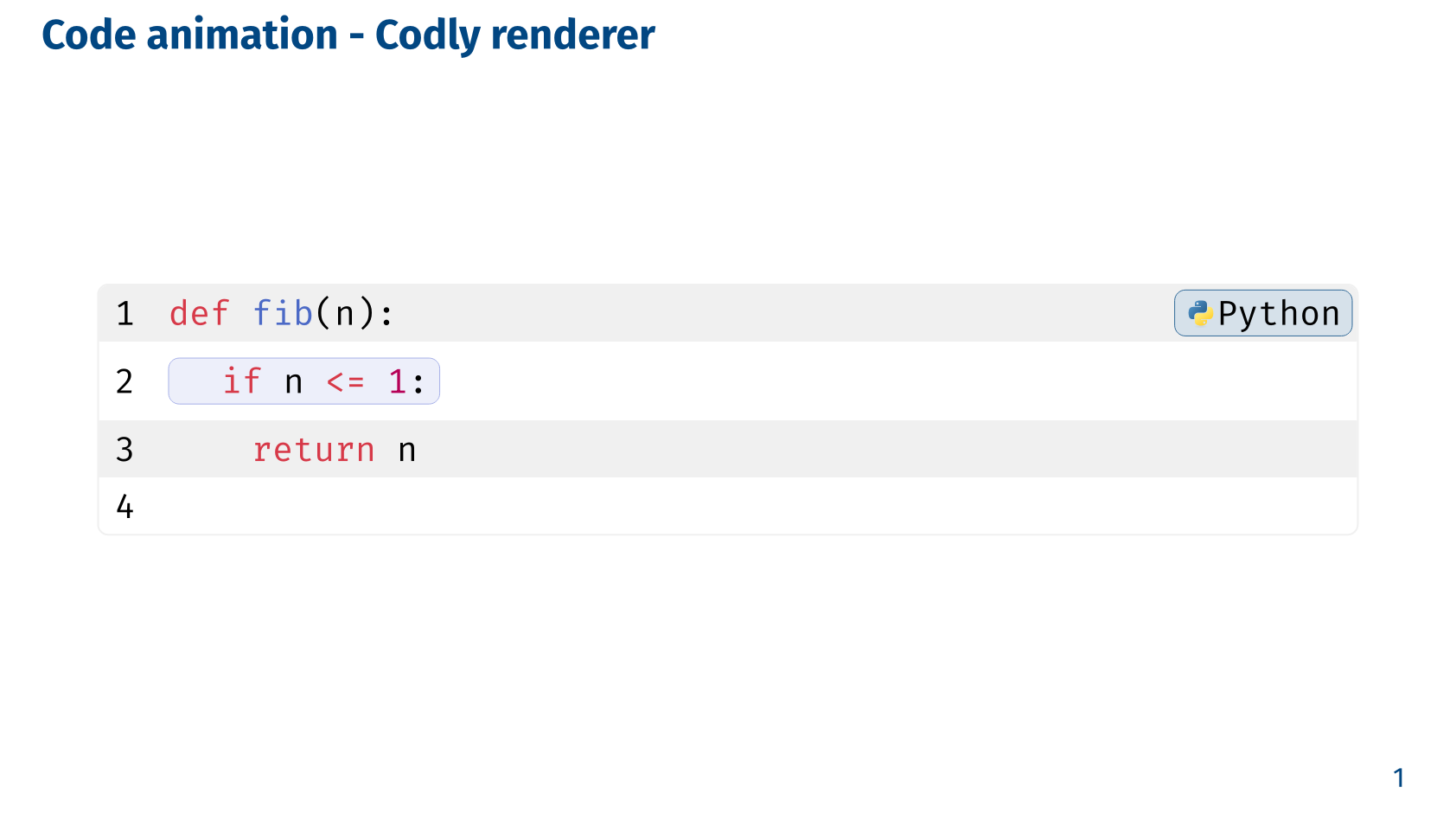
== Code animation - Codly renderer

#show: codly-init
#code-reveal(
  highlight-lines: ("2": 2, "4": 3),
  hide-lines: ("3": 2, "4": 3),
  renderer: codly-renderer(codly, highlight-color: rgb("#a6b0e8")))[#code]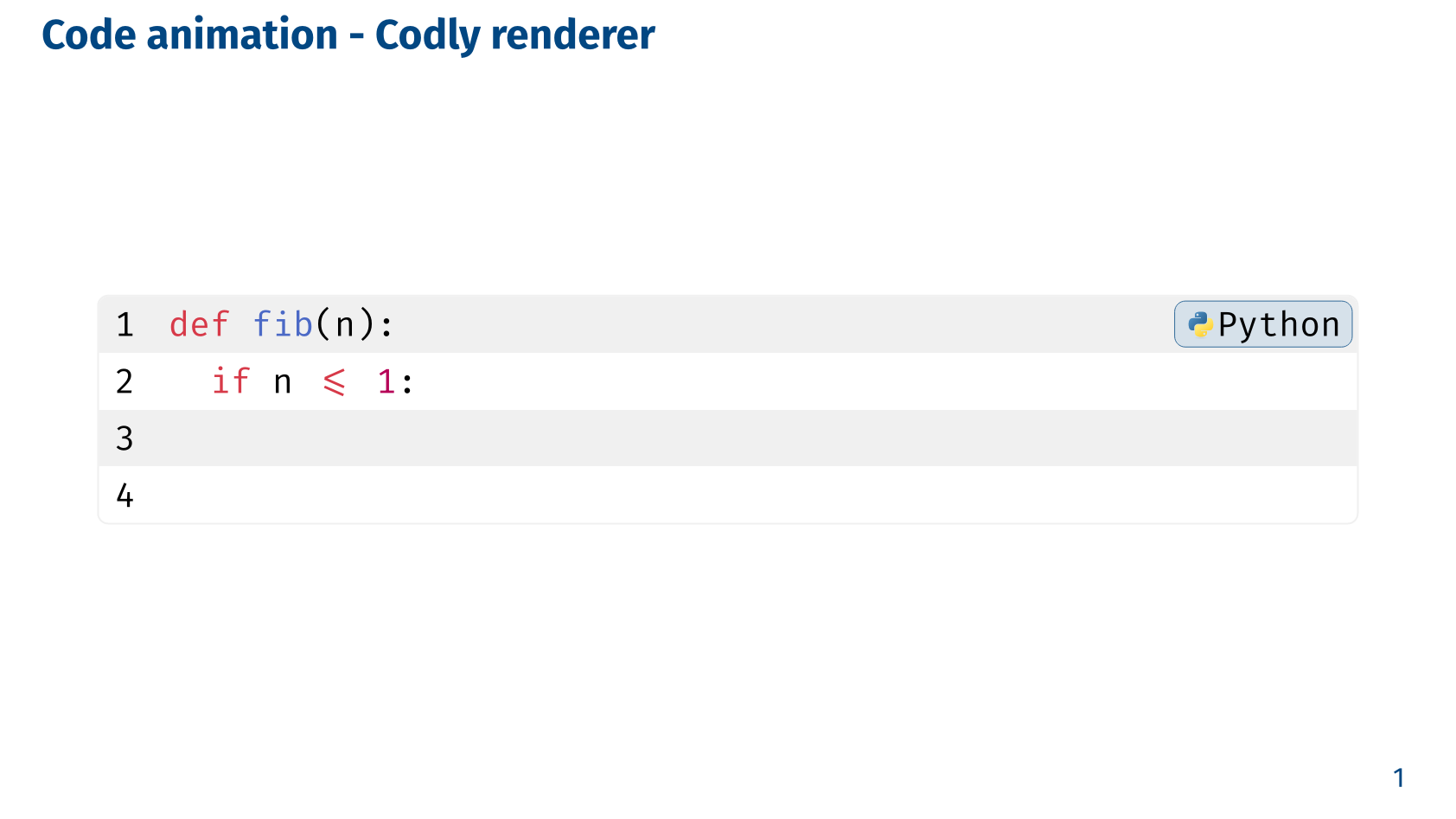
Zebraw renderer
#let zebraw-renderer(
  zebraw-fn,
  highlight-color: rgb("e0f5f2"),
  ..args
)zebraw-fnThe Zebraw function used to render the code snippet. This must be the zebraw function.
zebraw function is used as an argument avoids having zebraw as a direct dependency of Slydekit, which would require the user to install the zebraw package. Instead, the user can choose to use zebraw or not, depending on their needs.highlight-color – default: rgb(“e0f5f2”)The color used to highlight the active lines of code. This can be any valid color value in Typst, such as a named color, a hex code, or an RGB value.
..argsAdditional arguments to be passed to the zebraw function. See the Zebraw documentation for the complete list of available arguments.
#import "@preview/slydekit:0.5.0": *
#import "@preview/zebraw:0.6.3": *

#show: slydekit

#let code = ```python
def fib(n):
  if n <= 1:
      return n
  return fib(n-1) + fib(n-2)
```

== Code animation - Zebraw renderer

#show: zebraw-init
#code-reveal(
  highlight-lines: ("2": 2, "4": 3),
  hide-lines: ("3": 2, "4": 3),
  renderer: zebraw-renderer(zebraw)
)[#code]